Turn a real camera into your webcam. These bodies deliver clean HDMI out, USB streaming, and rock-solid
continuous autofocus for talking-head video. Our top pick has a built-in cooling fan for long streams.
Disclosure: As an Amazon Associate I earn from qualifying purchases. Links to retailers on this page are affiliate links. We earn a commission on purchases made through them, at no extra cost to you. It doesn't change our verdicts.
For marathon streams, the S5 II is the endurance champion. It has a built-in cooling fan, and Panasonic lists only one recording stop: the 6K and 5.9K
30p/25p modes halt after 30 minutes with Thermal Management on Standard. Other modes keep
recording and start a new file at each file limit. Internal capture is 10-bit 4:2:2, and the 24.2MP
full-frame sensor produces image quality that rivals cameras three to four times the price.
A full-size HDMI port plus USB-C (with PD) handle both capture-card and tethered workflows, and the new
Phase Hybrid AF finally fixed Panasonic's old contrast-detect issues. With 5-axis IBIS on top, it's a
fixed-position streaming workhorse.
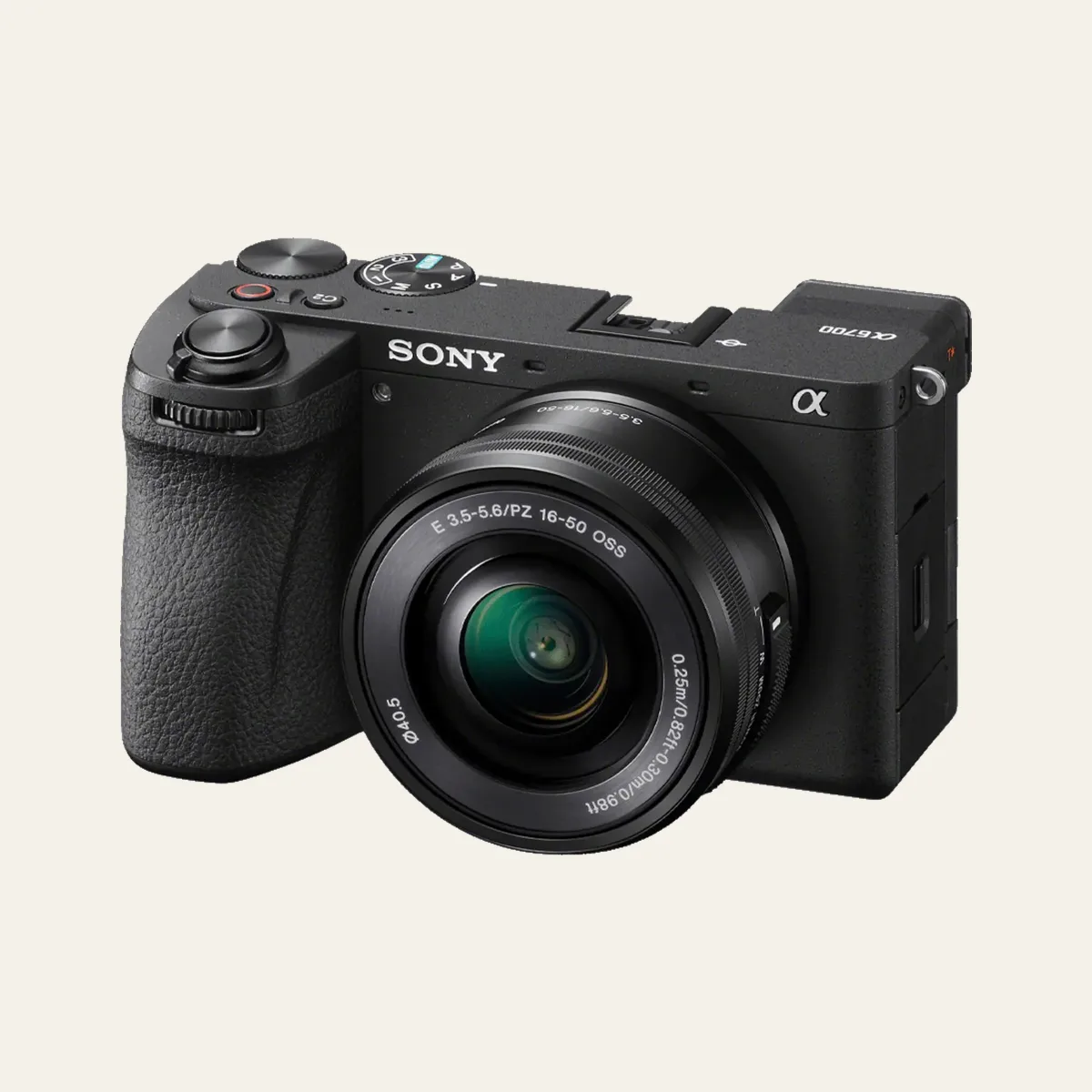
The A6700 is the streamer's sweet spot. Its 26MP APS-C sensor feeds clean 4K oversampled from a 6K
readout, and the BIONZ XR + AI processor drives Real-time Eye AF that locks onto your face and holds it—
exactly what you want for a talking-head stream where you lean in and out of frame.
For live work, heat is the limit. Under Sony's stated conditions (25 °C, default settings, Wi-Fi off, monitor open, camera switched off for a while beforehand), continuous recording runs approx. 120 minutes in HD (60p 50M) but approx. 5 minutes in XAVC S 4K 60p 150M 4:2:0 8-bit with [Auto Power OFF Temp.] on Standard, or approx. 30 minutes on High. Sony also says the time available for USB streaming can shorten as the camera's internal temperature rises. Its micro HDMI (Type D) port feeds a capture card cleanly, and the fully articulating
screen lets you frame yourself.
Sensor26MP APS-C BSI-CMOS
Video4K120 / 4K60 (6K oversample)
Recording LimitPer Sony at 25 °C: 4K60 approx. 5 / 30 min ([Auto Power OFF Temp.] Standard / High), HD approx. 120 min
Built for creators, the ZV-E10 II is the value pick. It shares the 26MP APS-C sensor and brings
A6700-level autofocus with AI subject recognition, so your face stays sharp without fiddling. The
streamlined body has a prominent record button and a Background Defocus toggle.
The killer feature for streamers: it supports direct USB streaming for live content. Plug in over USB-C
and it acts as your camera source—no capture card required. There's also a Micro HDMI port and a
vari-angle screen.
Want that shallow full-frame background blur on stream? The R8 packs the 24.2MP full-frame sensor from
the R6 Mark II into a lightweight body. Canon's color science is flattering for skin tones, and Real-time
Eye AF with Dual Pixel CMOS AF II is remarkably reliable for keeping your face locked.
It connects via Micro HDMI and USB-C, and the vari-angle touchscreen makes self-framing easy. Note the R8
has no IBIS but records 10-bit 4:2:2 (C-Log3) internally, so plan on a tripod and good lighting for the cleanest stream.
Stream in a dim room? The ZV-E1 is essentially an A7S III reimagined for creators—the same 12MP
full-frame sensor delivers exceptional low-light performance, so your feed stays clean when the lights
are low. It has a dedicated Streaming mode and Sony's best AI autofocus.
It has 5-axis IBIS for handheld streaming and a micro HDMI (Type D) port for a capture card.
The vari-angle screen and Real-time Eye AF (Human + Animal) round it out.
Sensor12.1MP Full-Frame Exmor R
Video4K60 (full-frame); 4K120 with paid upgrade license
If you want the cleanest, lowest-latency signal, choose an HDMI body (A6700, ZV-E1, S5 II) and a capture
card. If you want plug-and-play simplicity, the ZV-E10 II, ZV-1 II, and DJI Osmo Pocket 4 stream directly over
USB—no extra hardware to buy.
Watch the Heat
For multi-hour streams, active cooling matters. The Panasonic S5 II has a literal fan; for the Sony A6700, Sony gives approx. 120 minutes of continuous HD recording at 25 °C, but approx. 5 minutes of 4K60 with [Auto Power OFF Temp.] on Standard (approx. 30 minutes on High). Smaller fanless bodies can warm up over very long 4K sessions, so
match the camera to your typical session length.
What makes a camera good for streaming and live video?
The essentials are: (1) Clean, uncropped HDMI output (no on-screen icons) so a capture card sees only your image, (2) reliable continuous autofocus for talking-head framing, (3) a vari-angle or fully articulating screen so you can frame yourself, (4) no recording or overheating limits during long sessions, and (5) ideally a USB webcam mode so you can plug straight into a PC without extra gear.
Do I need a capture card to stream?
It depends on the camera. Cameras with full-size or micro HDMI (Sony A6700, ZV-E1, Panasonic S5 II, Canon R8/R50) feed an external capture card for the highest-quality, lowest-latency signal. But the Sony ZV-E10 II, ZV-1 II, and DJI Osmo Pocket 4 (UVC webcam mode, per DJI) also support direct USB streaming, so you can connect over USB-C and skip the capture card entirely for casual streams. The Pocket 4's 4K DisplayPort output is the route that needs a capture card.
Can I use these cameras as a USB webcam?
Several can. The Sony ZV-E10 II supports direct USB streaming for live content, the Sony ZV-1 II works as a USB webcam for Zoom and live calls, and DJI lists a UVC webcam mode for the DJI Osmo Pocket 4, plus 1080p Wi-Fi livestreaming through the DJI Mimo app. For HDMI-out bodies like the A6700, ZV-E1, and Panasonic S5 II, the cleanest route is HDMI into a capture card.
Will the camera overheat during long streams?
The Panasonic S5 II has a built-in cooling fan; Panasonic lists only one recording stop, in the 6K and 5.9K 30p/25p modes after 30 minutes with Thermal Management on Standard. The Sony A6700 is heat-limited: under Sony's stated conditions (25 °C, Wi-Fi off, monitor open, camera switched off for a while beforehand), continuous recording runs approx. 120 minutes in HD 60p but approx. 5 minutes in XAVC S 4K 60p 150M 8-bit with [Auto Power OFF Temp.] on Standard, or approx. 30 minutes on High. Smaller bodies without fans (ZV-E10 II, ZV-1 II, R8, R50) can warm up during very long 4K sessions, so for marathon multi-hour streams, prioritize the S5 II.
We buy or rent our own equipment. No manufacturer paid for this guide. We earn a commission when you use our
affiliate links, which keeps this site ad-free.
Stay in the Loop
New reviews, deals, and buying guides — straight to your inbox.
We use Google Analytics to understand which articles get read. It sets cookies and only runs with your consent. The site itself works either way. Privacy policy