
Vertical-first workflow
Set your camera to 9:16 mode or shoot 4K wide and crop in post. Shooting vertical from the start saves editing time and avoids awkward reframes.
Reels, Shorts, TikTok — the format doesn't matter. What matters is speed: fast setup, reliable autofocus, and a workflow you can repeat daily without burnout. These are the cameras that actually help you post more.

Disclosure: As an Amazon Associate I earn from qualifying purchases. Links to retailers on this page are affiliate links. We earn a commission on purchases made through them, at no extra cost to you. It doesn't change our verdicts.
 Best Overall Sony ZV-E10 II Check price at Amazon
  Best Compact DJI Osmo Pocket 4 Check price at Amazon
  Easiest to Use Canon EOS R50 Check price at Amazon
  Best for Action GoPro Hero 13 Check price at Amazon
  Best Pro Pick Sony A6700 Check price at Amazon
 | Model | Type | Best For | Video | Price |
|---|---|---|---|---|
| Sony ZV-E10 II | APS-C | Best Overall | 4K60 10-bit | Check price at Amazon |
| DJI Osmo Pocket 4 | Gimbal Cam | Native Vertical | 4K60, 3K 9:16 | Check price at Amazon |
| Canon EOS R50 | APS-C | Easiest to Use | 4K30 | Check price at Amazon |
| GoPro Hero 13 | Action Cam | POV & B-Roll | 5.3K60 | Check price at Amazon |
| Sony A6700 | APS-C | Pro Creator | 4K120 | Check price at Amazon |
Spec figures from the makers: Sony ZV-E10 II (helpguide.sony.net, checked 26 Sept 2026) · Canon EOS R50 (canon-europe.com, checked 25 Sept 2026) · Sony A6700 (sony.co.uk, checked 25 Sept 2026)

The ZV-E10 II is built for exactly this workflow. It has the same AI autofocus as the A6700, a dedicated vertical video mode for Reels and Shorts, and creator-friendly controls like Background Defocus and Product Showcase. The flip screen makes selfie framing effortless.
4K60 10-bit with S-Log3 means your footage can look cinematic with minimal color work. The large NP-FZ100 battery lasts a full day of short-form shooting without a swap.

For short-form, the Pocket 4's main advantage is that vertical video comes out of the camera as a native 9:16 file, at 3K (1728 × 3072) or 1080p, instead of a crop from a widescreen clip. The three-axis mechanical gimbal keeps walking shots steady, and the 1-inch sensor and 20 mm f/2.0 lens have the same specification as on the Pocket 3.
Against the Pocket 3, DJI's sheet adds 4K slow motion at up to 240 fps, 107 GB of built-in storage and a rated 240 minutes per charge (Pocket 3: 166, both at 1080p/24 with Wi-Fi and the screen off). DJI Mic 2, Mic 3 and Mic Mini transmitters connect without a receiver.

Canon's color science is instantly flattering — skin tones look natural without any color grading. For creators who want to shoot, trim, and post without touching editing software, this delivers upload-ready footage straight from the camera.
The Dual Pixel AF system tracks faces reliably, the menu system is beginner-friendly, and the compact body weighs just 375g with battery and card. Pair it with the RF-S 18-45mm kit lens for a lightweight setup under €700.

Not every Reel is a talking-head video. For POV clips, cooking overhead shots, workout content, travel montages, and any scenario where you need a tiny, indestructible camera — the Hero 13 fills the gap that no mirrorless camera can.
HyperSmooth 7.0 keeps everything locked, even during running or cycling. The front screen works for quick selfie framing, and 5.3K resolution gives massive crop flexibility for vertical edits.
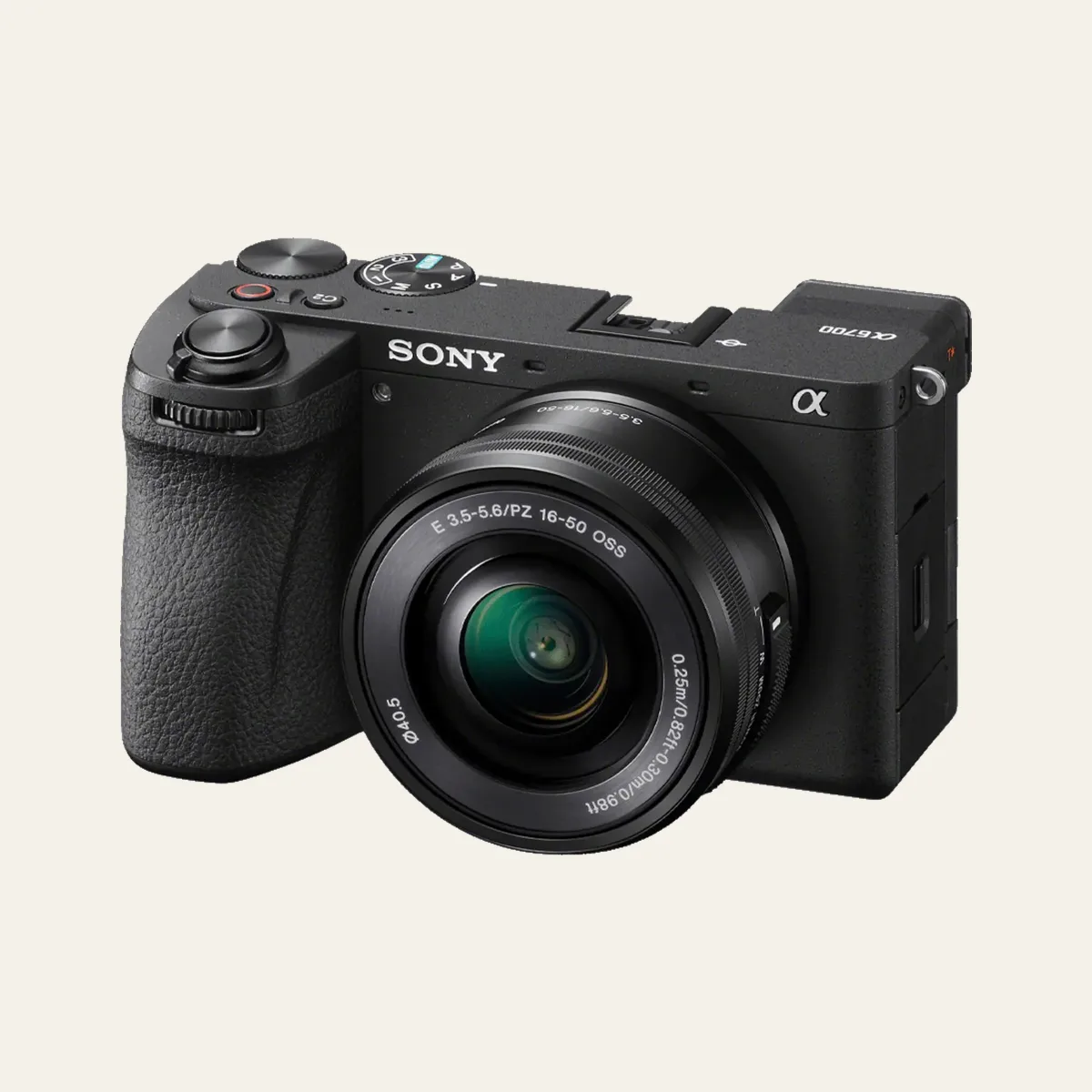
When your Reels or Shorts channel is generating revenue and you need the best possible quality, the A6700 is the upgrade that makes sense. It has the same AI subject recognition as Sony's flagship A1, packed into an APS-C body that weighs 493g.
4K120 for ultra-smooth slow-mo B-roll, S-Cinetone for instant cinematic color, and a weather-sealed body that handles outdoor shoots. The EVF is also useful for bright-daylight shooting where screens wash out.
Set your camera to 9:16 mode or shoot 4K wide and crop in post. Shooting vertical from the start saves editing time and avoids awkward reframes.
Even in 15-second clips, bad audio kills engagement. A €50 wireless lav mic is the single best investment for talking-head Reels and Shorts.
Shoot 5-10 clips in one session, change outfits between takes. Most successful short-form creators batch-produce a week of content in 2-3 hours.
Sony ZV-E10 II is our top pick for short-form creators. It has fast AI autofocus, a flip screen for selfie framing, vertical video support, and 4K60 recording under €1,000.
A phone is fine to start, but a dedicated camera gives better autofocus consistency, interchangeable lenses for creative looks, superior low-light quality, and easier background blur. This matters most once you're posting daily.
A 20-35mm equivalent lens is ideal for talking-head and handheld clips. Wider lenses (16-20mm) work for lifestyle and walk-around content. Avoid anything longer than 50mm for solo shooting.
Yes. Even though platforms compress to 1080p, shooting 4K lets you crop and reframe in post, which is essential for repurposing horizontal footage into vertical format.

We buy or rent our own equipment. No manufacturer paid for this guide. We earn a commission when you use our affiliate links, which keeps this site ad-free.